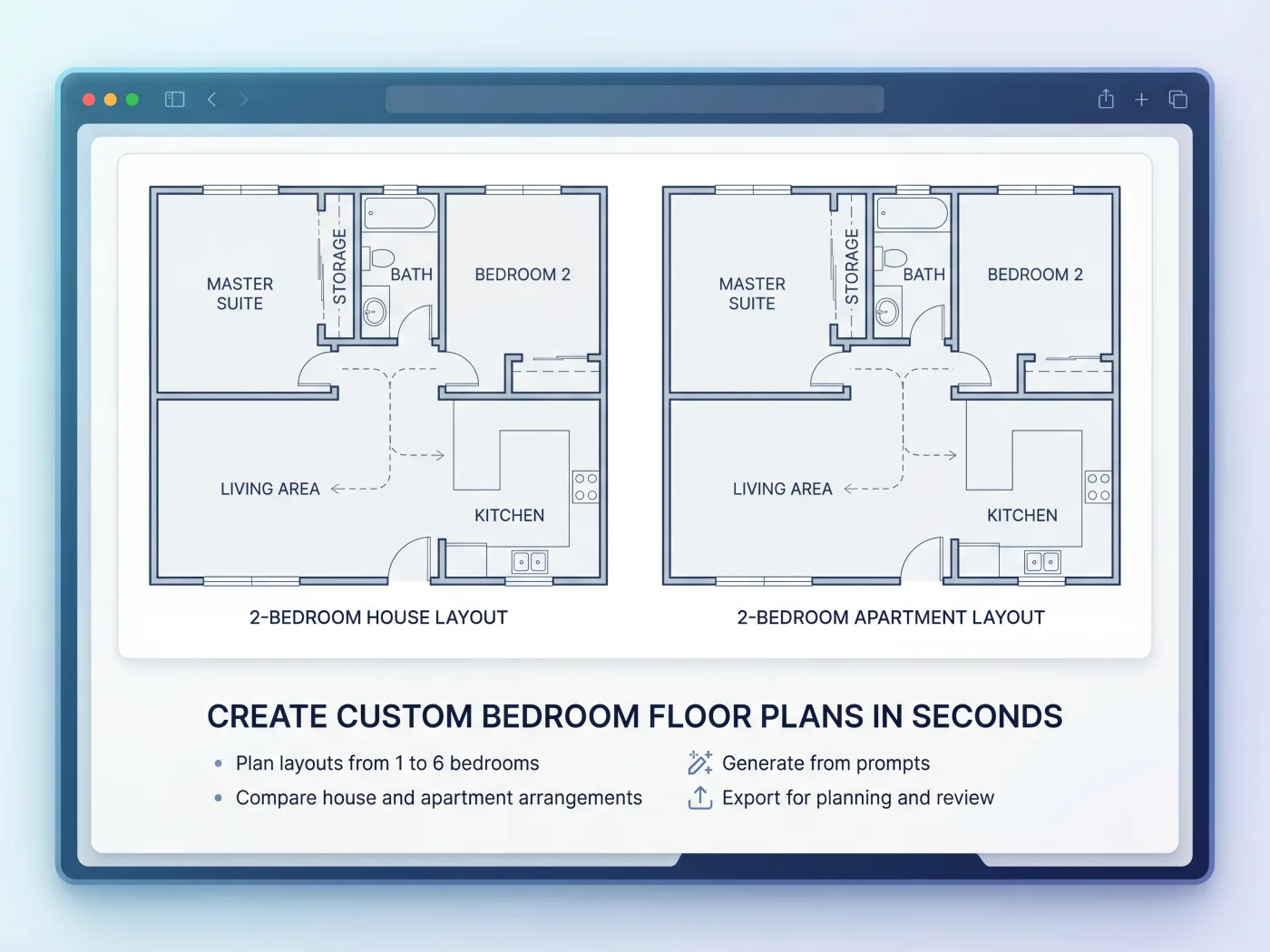
Technical Analysis of Online Bedroom Design Platforms
The digital transformation of interior design offers sophisticated online platforms for bedroom planning, enabling users to visualize layouts and material specifications with high precision. These tools represent a significant departure from traditional manual drafting, leveraging computational power to streamline design iterations and resource planning. This analysis evaluates the technical capabilities, performance metrics, and inherent trade-offs across various online bedroom design solutions.
Introduction to Online Bedroom Design Platforms
Online bedroom design platforms are categorized primarily by their rendering capabilities and feature sets, ranging from simplistic 2D floor planners to advanced photorealistic 3D configurators. Market data indicates a growing adoption rate, with approximately 60% of new home buyers utilizing digital tools for preliminary space planning. The global interior design software market, inclusive of these online platforms, is projected to achieve a Compound Annual Growth Rate (CAGR) of 15% through 2027, driven by accessibility and feature expansion. Core functionalities generally include a drag-and-drop interface for furniture placement, wall and dimension editing, and basic material application. Platforms like Floorplanner offer a straightforward 2D interface with 3D visualization toggling, while more specialized tools such as RoomSketcher provide enhanced rendering options and broader object libraries. Brand-specific configurators, such as IKEA’s planning tools, integrate proprietary product catalogs for direct item specification and procurement planning.
Comparative Analysis of 2D vs. 3D Design Tools
The fundamental distinction in online bedroom design lies in the representation fidelity: 2D versus 3D rendering. Each approach presents distinct performance characteristics and technical trade-offs.

2D Design Tools: These platforms, often browser-based and client-side rendered, prioritize speed and resource efficiency. They typically operate on minimal client hardware, requiring less than 4GB RAM and standard integrated graphics. Key advantages include near-instantaneous layout updates (sub-100ms response times for object manipulation) and low data transfer volumes (average project file sizes under 500KB). Their primary utility lies in precise spatial planning and dimensional accuracy, allowing users to define wall lengths to a millimeter or inch tolerance. However, the lack of depth perception and material texture representation can hinder aesthetic validation, making color and finish decisions abstract. The technical trade-off is visualization realism for computational efficiency and broad accessibility.
3D Design Tools: These tools offer a more immersive experience, providing volumetric representation and material texture mapping. Performance is significantly dependent on client-side computational resources, particularly GPU capabilities (dedicated GPUs with >4GB VRAM are optimal for real-time rendering, integrated GPUs may suffice for static renders). Initial model loading times can range from 2-5 seconds for complex scenes, while high-resolution photorealistic rendering can take 5-60 minutes on cloud-based render farms, or even longer on less powerful local machines. Polygon counts for typical bedroom furniture models range from 5,000 to 50,000, impacting render times. While offering superior visualization and virtual walkthrough capabilities, the technical overhead includes higher system requirements, increased data bandwidth (project files often exceed 50MB with embedded textures), and a steeper learning curve for advanced rendering settings. The trade-off here is computational demand and potentially higher cost for enhanced visual fidelity.
Data-Driven Design Optimization and Integration
Modern online design platforms increasingly leverage extensive databases and algorithmic processing to enhance design accuracy and efficiency. Integration with comprehensive furniture and material catalogs is a critical feature, often containing millions of Stock Keeping Units (SKUs) from various manufacturers. This integration allows for real-time inventory checks, precise pricing updates (reducing cost estimation variance to <2% compared to manual methods), and automated Bill of Materials (BOM) generation. Platforms can calculate material consumption, such as paint volume based on wall surface area (e.g., 1 liter per 10 square meters), or flooring square footage with a 5-10% waste factor. Furthermore, some advanced tools incorporate Artificial Intelligence (AI) and Machine Learning (ML) algorithms for design optimization. These algorithms can analyze user preferences against a database of millions of successful design trends to offer style recommendations, furniture placement suggestions, or even optimize space utilization to maximize functional area by up to 15% based on predefined parameters. Integration with Augmented Reality (AR) on mobile devices (e.g., Apple ARKit, Google ARCore) allows for real-time furniture placement visualization within a physical bedroom, reducing errors in scale and fit by providing an immediate, contextual preview.
Technical Considerations for Platform Selection
Selecting an appropriate online bedroom design platform necessitates a review of several technical parameters beyond core functionality:
- System Requirements: Browser-based solutions typically require a modern web browser (Chrome >v90, Firefox >v88) supporting WebGL 2.0. Recommended client hardware specifications include an Intel Core i5 (or AMD Ryzen 5) processor, 8GB RAM minimum (16GB for intensive 3D work), and a dedicated GPU (e.g., NVIDIA GeForce GTX 1050 or AMD Radeon RX 560 equivalent) for optimal 3D real-time performance. Native desktop applications may demand higher specifications.
- Browser Compatibility and Performance: While most platforms aim for cross-browser compatibility, performance benchmarks can vary. Chrome generally exhibits superior WebGL rendering performance, with Safari and Firefox showing comparable but sometimes slightly lower frame rates (e.g., 5-10% reduction in FPS) in complex 3D scenes due to differing JavaScript engine optimizations and WebGL implementations. Mobile browser performance is often constrained by device CPU/GPU and available RAM.
- Data Privacy and Security: Evaluate the platform’s data handling policies, specifically regarding user design data, personal information, and GDPR/CCPA compliance. Understand how design files are stored (encrypted cloud storage vs. local), who retains intellectual property rights to created designs, and the duration of data retention. Server locations and compliance with regional data sovereignty laws are also critical for professional users.
- Cost Models: Platforms typically operate on freemium, subscription, or one-time purchase models. Freemium versions often impose limitations on project count (e.g., 1-2 free projects), object libraries (e.g., <100 items), export resolution (e.g., max 720p images), or advanced rendering options. Subscription tiers (e.g., $10-$50/month) unlock extensive libraries (>5,000 items), high-resolution outputs (up to 4K), CAD export capabilities (DXF, DWG), and cloud rendering credits.
Key Features to Evaluate in Online Design Platforms
- Real-time 2D/3D Toggling: Seamless switching between plan view and volumetric representation for comprehensive design validation.
- Extensive Furniture and Material Library: Access to a diverse and regularly updated catalog of objects and textures, ideally with real-world product specifications (dimensions, materials, cost).
- Accurate Measurement and Dimension Tools: Functionality for precise wall, object, and spacing measurements, supporting both metric and imperial units with snapping features.
- Photo-realistic Rendering Capabilities: Options for generating high-quality images and walkthroughs, including advanced lighting, shadow, and reflection simulations.
- Collaboration and Sharing Features: Ability to share designs with others via URL, allow for multi-user editing, and export in various formats (PDF, JPG, PNG).
- Mobile Compatibility: Dedicated iOS/Android applications or fully responsive web interfaces for design on various devices.
- CAD Export Options: Support for exporting designs in industry-standard formats like DXF or DWG for further professional development or architectural integration.
Common Mistakes to Avoid
- Neglecting Accurate Room Measurements: Inputting imprecise dimensions leads to invalid designs and procurement errors. Always verify physical room dimensions with a tape measure.
- Over-relying on Default Furniture Without Verifying Dimensions: Generic library assets may not correspond to actual product sizes; cross-reference with manufacturer specifications.
- Ignoring Lighting and Electrical Outlet Placement: Failure to account for power sources and natural/artificial light sources can render a functional layout impractical.
- Not Verifying Material Availability or Cost: Catalog items may be discontinued or outside budget; check supplier inventory and current pricing before finalizing.
- Failing to Check Platform Compatibility with Existing Hardware: Attempting to run demanding 3D software on underpowered systems will result in poor performance and frustration.
- Disregarding Data Privacy Terms and Conditions: Be aware of how your design data and personal information are used, stored, and protected by the platform provider.
FAQ Section
What is the typical learning curve for 3D online bedroom design tools?
The learning curve for 3D online design tools varies significantly with user experience and platform complexity. For users with basic CAD or graphical interface familiarity, achieving proficiency in fundamental layout and object placement takes approximately 2-4 hours of dedicated use. Advanced features, such as custom material application, complex lighting setups, and photorealistic rendering optimizations, typically require 10-20 hours of practice to master, enabling production of high-fidelity visual outputs.
How accurate are the material and furniture dimensions provided by these platforms?
Dimension accuracy in online design platforms is directly correlated with their data integration. Platforms that leverage manufacturer-supplied catalogs or BIM (Building Information Modeling) data for their object libraries typically achieve a high degree of precision, often within +/- 1 millimeter of actual product dimensions. For generic or user-generated assets, the accuracy can vary more broadly, potentially exhibiting a +/- 5-10 millimeter variance. Users should always cross-reference critical dimensions for custom installations or bespoke furniture.
Can online design tools generate a bill of materials (BOM) for procurement?
Yes, many advanced online design platforms, particularly those operating on a subscription model, offer robust Bill of Materials (BOM) generation capabilities. These features compile a detailed list of all specified furniture, fixtures, and finishes, including quantities, dimensions, and often Manufacturer Part Numbers (MPNs) or SKUs. When integrated with live product databases, the BOM can also provide real-time cost estimations, achieving an average accuracy of 95-98% against current retail pricing. Basic freemium versions may offer rudimentary object lists without detailed costing or procurement information.